
The parts that sync
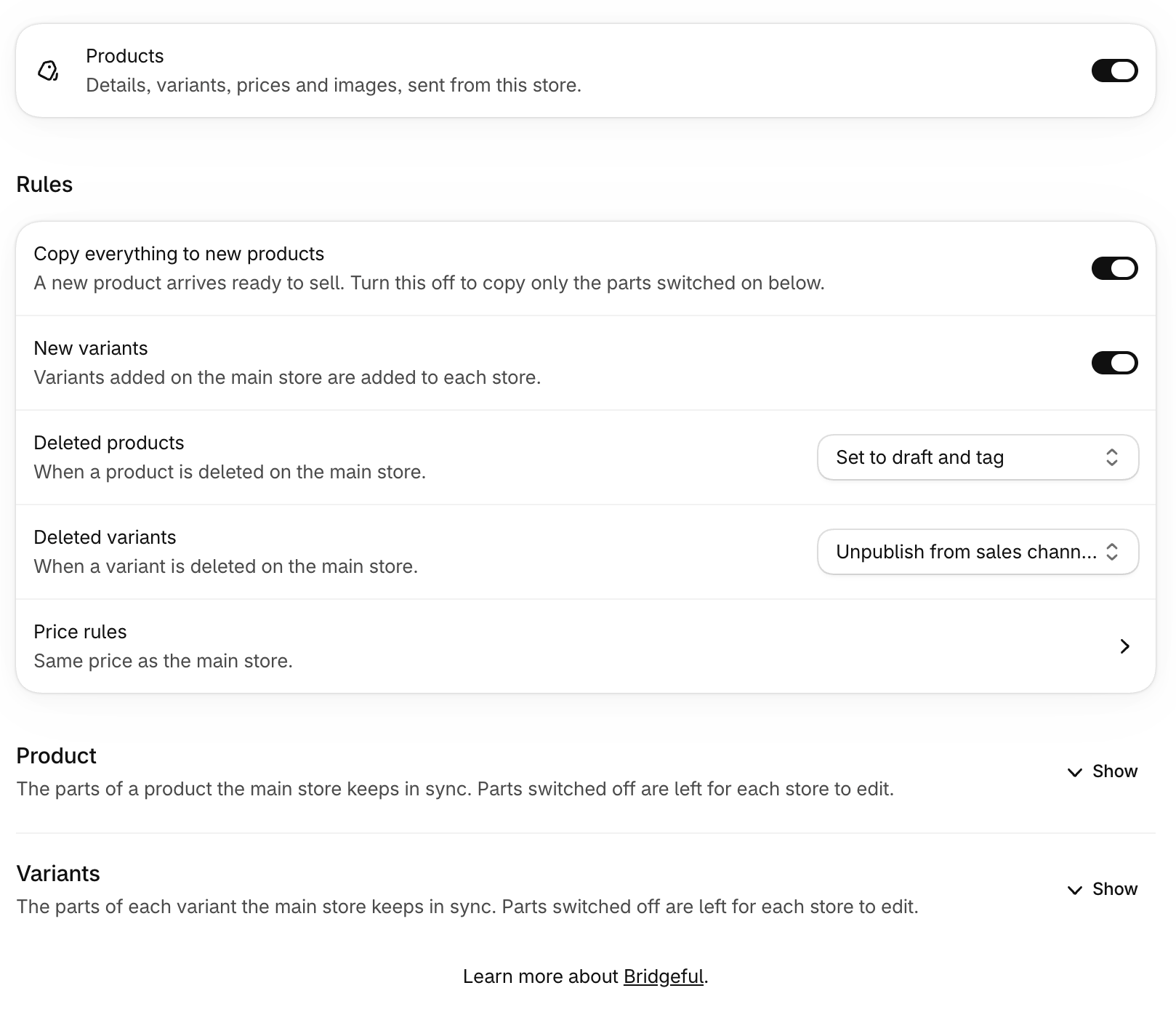
Choose which parts of a product the main store keeps in sync. Parts switched off are left for each store to edit.- Product: title, description, vendor, product type, category, tags, status, handle, search engine listing, images and videos, sales channels
- Variants: options, SKU, barcode, price, compare-at price, cost per item, weight, HS code, country of origin, charge tax, physical product, continue selling when out of stock
New products
When a product is added to your main store, or you choose Create for an unmatched product, Bridgeful creates it on the other stores.- Copy everything to new products (on by default): a new product arrives complete and ready to sell.
- Turn it off to copy only the parts switched on.
Deleted products
When a product is deleted on your main store, choose what happens to its copy on the other stores:- Set to draft and tag (the default): it’s hidden from sale and tagged so you can find it.
- Delete it.
Price rules
By default prices are copied as they are. Under Price rules you can change them on the way to each store:- adjust by a percentage or an amount, up or down
- convert with a currency rate, when a store uses a different currency
- round to .99, .95 or a whole number