

Bridgeful sits in your Shopify admin, under Apps. These are its pages.

Home

Where your stores stand at a glance. While you’re setting up, the setup guide lists what’s left: connect a store, choose what syncs and pair locations. After that, Home shows one row per linked store with its state, anything that needs attention, and recent activity. A store’s state is one of:
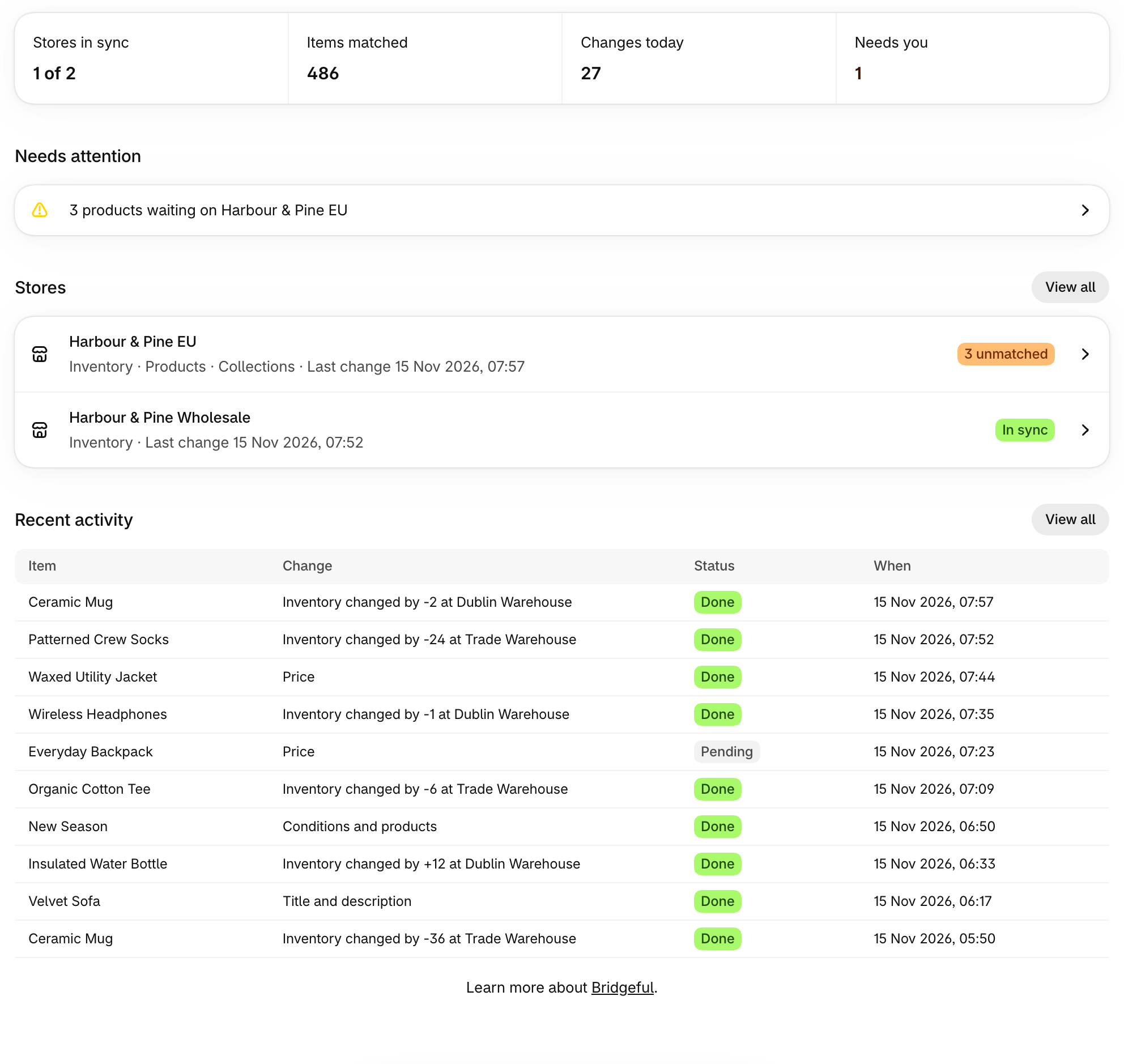
Home with the stat band, Needs attention, Stores and Recent activity

Products

Every product variant across your stores, with whether it’s synced, where it’s waiting and how much inventory it has. See Products.

Stores

Your linked stores: connect a new one, open a store’s page, or unlink. See Stores.

Activity

Every change Bridgeful makes, on every store, with search, filters and saved views. See Activity.

Settings

What syncs and how, your plan, display settings and email preferences. See Settings.

The assistant

The sparkle button in the corner of every page opens the assistant. Ask it about your stores and your sync, or reach our team. See AI assistant.

On a connected store

A connected store’s settings are managed from its main store. Opening Bridgeful on a connected store shows which main store it’s linked to, with a link to open Bridgeful there.